
| 일 | 월 | 화 | 수 | 목 | 금 | 토 |
|---|---|---|---|---|---|---|
| 1 | 2 | 3 | ||||
| 4 | 5 | 6 | 7 | 8 | 9 | 10 |
| 11 | 12 | 13 | 14 | 15 | 16 | 17 |
| 18 | 19 | 20 | 21 | 22 | 23 | 24 |
| 25 | 26 | 27 | 28 | 29 | 30 | 31 |
- 취업화이팅
- 그냥아는만큼남기기
- Provider AWS
- 존버존버
- 은우쌤
- 결심한만큼
- 청내공만기
- 이놈의기사또해내야돼
- 해낼수있어
- 2025년 1회차
- 청내공화이팅
- 정신력승리함
- IaC코드자동화
- 어렵다
- 청내공해내자
- 화이팅
- 무탈히가길
- 청내공
- 해내자
- 자동화구현만세
- 너무어려워...
- 합격률15.18%
- 만기오긴오냐
- 청년내일채움공제
- aws책은읽다말았는데
- 청내공만기오긴오냐
- 정신력승리
- 윽짜증
- 저것도꾸준히읽어야지ㅠㅠ
- 테라폼만세
- Today
- Total
시나브로
[패캠][실전 DevOps 환경의 Kubernetes 완벽 마스터] - 2-4. pod, namespace, deployment 등 오브젝트 활용하기 본문
[패캠][실전 DevOps 환경의 Kubernetes 완벽 마스터] - 2-4. pod, namespace, deployment 등 오브젝트 활용하기
sa1347 2026. 10. 3. 22:13create namespace

get ns
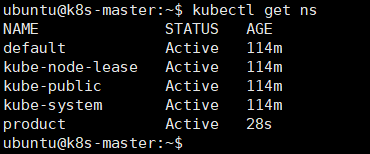
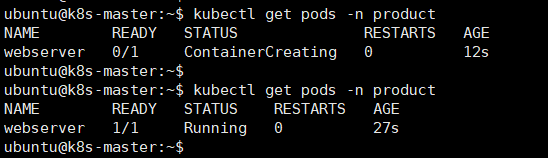
kubectl get pods -n product

kubectl run webserver -n product --image nginx:1.14

kubectl get pods -n product
kubectl delete pod webserver -n product
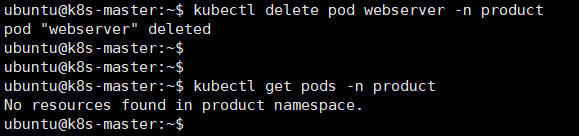
1. product라는 namespace에 webserver라는 pod를 삭제해라
2. 삭제 후 pod 없는 상태 확인
kubectl run webserver --image nginx:1.14 --port 80 --dry-run=client -o yaml > test.yaml
1. nginx 1.14 이미지로, 80번 port를 쓰는 webserver라는 pod 1개를 만드는데,
2. 실제로 만들지는 말고 (yaml로 뽑아서) test.yaml 파일에 저장해라

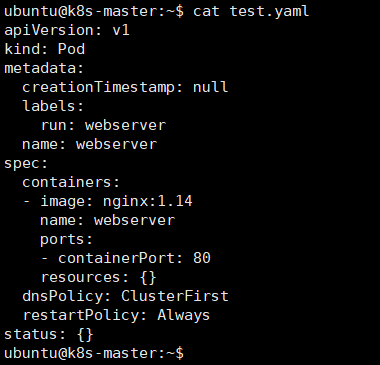

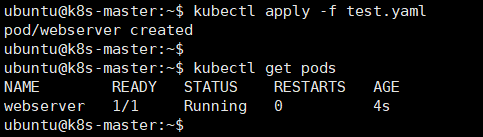
kubectl apply -f test.yaml
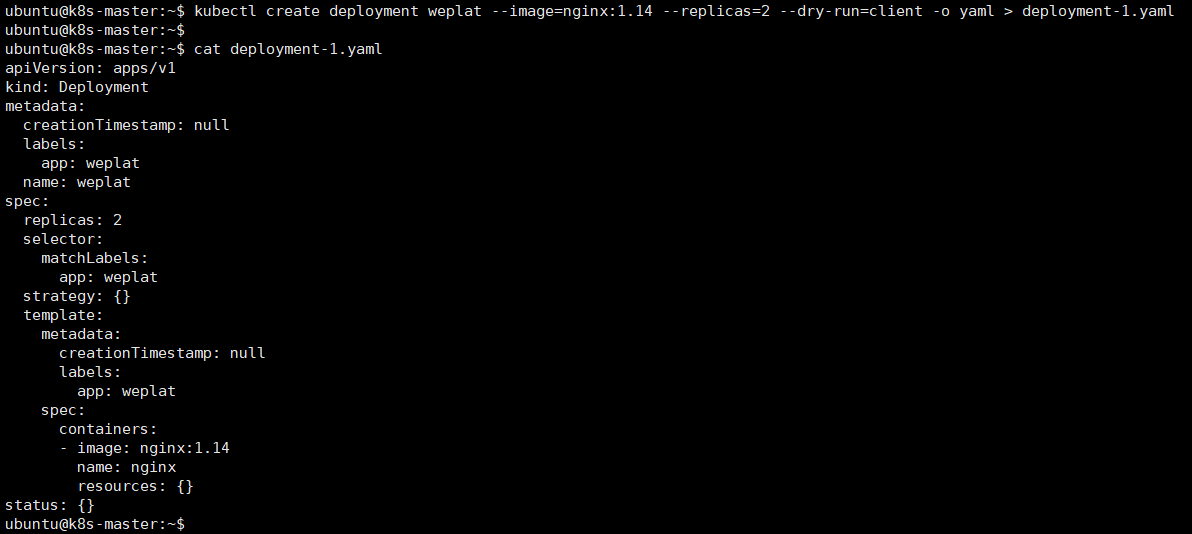
kubectl create deployment weplat --image=nginx:1.14 --replicas=2 --dry-run=client -o yaml > deployment-1.yaml
1. nginx 1.14 이미지로 pod 2개의 weplat deployment를 만드는데,
2. 실제로 만들지는 말고 (yaml로 뽑아서) deployment-1.yaml 파일에 저장해라
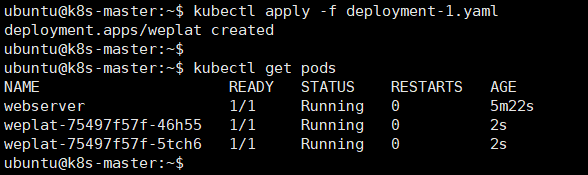
1. deployment-1.yaml 적용
2. weplat pod 실행 중 확인
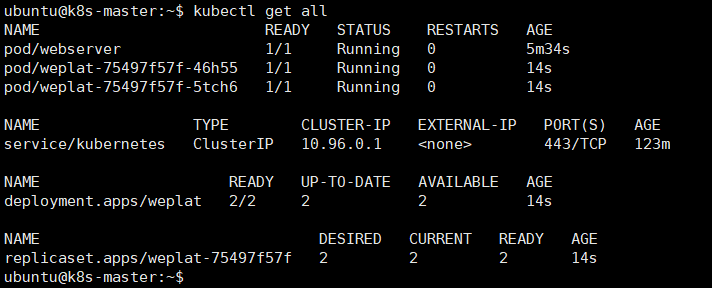
kubectl get all

1. bespin이라는 deployment의 pod 개수를 3개로 맞춰라
2. no objects passed to scale - 확장할 대상으로 넘겨받은 오브젝트가 없다.
3. apps 그룹에 속한, nginx라는 deployment에 "변경 이유: version 1.15" 메모(annotate)를 붙여라
4. nginx라는 deployments를 찾을수없다.